Toon posts:

cookies kan je die uitzetten bij een site

Pagina: 1
Acties:

Verwijderd

Topicstarter
mijn vraag is kan je uitzetten ergens in windows xp dat hij geen cookies meer accepteerd van een bepaalde site? zo ja zou ik graag willen weten hoe..


p.s. ik heb search gebruikt en nix nuttigs gevonden

  • Pelle
  • Registratie: Januari 2001
  • Laatst online: 17:19

Pelle

🚴‍♂️

Dat weten ze vast wel in SA :)

  • Compubiter
  • Registratie: Oktober 2001
  • Laatst online: 21-08-2023

Compubiter

Think again

Extra -> Internetopties -> Privacy -> Bewerken -> Adres blokkeren :?.

Verwijderd

Topicstarter
ik wil t adres niet blokkeren allen dat hij stopt voor die site een cookie te maken

  • Willem
  • Registratie: Februari 2001
  • Laatst online: 21:16
Wat dacht je van je security settings?

Als ik in IE op F1 druk en zoek naar cookies krijg ik dit
To customize your privacy settings for an individual Web site

In Internet Explorer, on the Tools menu, click Internet Options.
Click the Privacy tab, and then click Edit.
In Address of Web site, type the complete address of the Web site for which you want to specify custom settings. For example, http://www.microsoft.com
To specify that you want Internet Explorer to always allow cookies from the specified Web site to be saved on your computer, click Allow. To specify that you want Internet Explorer to never allow cookies from the specified Web site to be saved on your computer, click Block.
Notes

You can view a list of Web sites for which you have specified custom settings in the Managed Web sites list. To remove a Web site from this list, and delete its custom privacy settings, click Remove. When you remove a Web site from the Managed Web sites list, your privacy settings for all Web sites without custom settings will apply to that Web site.
Some Web sites require cookies; therefore, if you select a setting that does not allow cookies to be saved on your computer, you might not be able to view certain Web sites.
When you change your privacy settings, the changes might not affect cookies that are already on your computer. If you want to ensure that all of the cookies on your computer meet your privacy settings, you should delete all of the existing cookies on your computer. When you return to Web sites that previously had saved cookies on your computer, the Web sites that meet your privacy settings will save cookies on your computer again. The Web sites that do not meet your privacy settings will not be allowed to save cookies on your computer, and might not function properly.
Related Topics
Dus ik denk dat je gewoon wat beter moet zoeken ;)

Motor (of auto) onderhoud bijhouden


  • Compubiter
  • Registratie: Oktober 2001
  • Laatst online: 21-08-2023

Compubiter

Think again

Verwijderd schreef op 19 March 2003 @ 00:04:
ik wil t adres niet blokkeren allen dat hij stopt voor die site een cookie te maken
Heb je er uberhaupt al gekeken?

  • bazs2000
  • Registratie: November 2000
  • Laatst online: 17-09 22:41

bazs2000

Pixels zo groot als een atoom

Extra -> Internet Opties -> Privacy -> Bewerken


Daar kun je URL's opgeven van sites die die niet zomaar een cookie mogen dumpen. :)
Ook kun je opgeven dat er gevraagd moet worden of er van een bepaalde site een cookie binnen gehaald mag worden. :)

Edit:
/laat enzo. :)

[ Voor 9% gewijzigd door bazs2000 op 19-03-2003 00:05 ]

Krankzinnige muziek vind je hier.


Verwijderd

Topicstarter
Compubiter schreef op 19 March 2003 @ 00:04:

[...]
Heb je er uberhaupt al gekeken?
ja

  • alt-92
  • Registratie: Maart 2000
  • Niet online

alt-92

ye olde farte

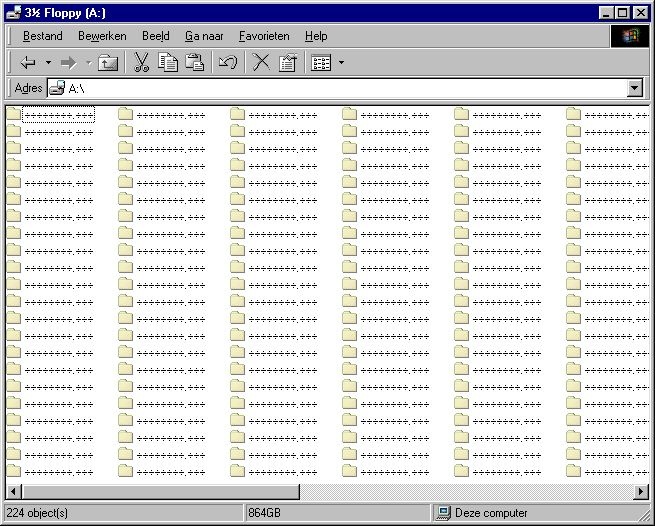
Kun je mij dan vertellen wat hier onduidelijk aan is?

Afbeeldingslocatie: http://home.wanadoo.nl/blofnet/got/koekjestrommel.jpg

ik heb een 864 GB floppydrive! - certified prutser - the social skills of a thermonuclear device


  • danslo
  • Registratie: Januari 2003
  • Laatst online: 22:10
Hmmm.. volgens mij was hij aan het denken dat je dan toegang tot die site blokkeerde (en niet heeft gekeken)..
Pagina: 1