:fill(white):strip_exif()/i/1255339463.jpeg?f=thumbmini)

Cat 7 is wél een gestandaardiseerde bekabelingscategorie. De specificaties zijn vastgelegd in ISO/IEC 11801 en IEC 61156.
- job
- Registratie: Februari 2002
- Laatst online: 28-10 11:08
:strip_exif()/u/49483/mandarin_sm.gif?f=community)
Kan je hier iets mee?
http://www.vistax64.com/t...ord-expiration-vista.html
Wel een raar probleem overigens..
http://www.vistax64.com/t...ord-expiration-vista.html
Wel een raar probleem overigens..
- Erwin
- Registratie: Januari 2004
- Laatst online: 22:35
/u/102895/crop6517f7f64a363_cropped.png?f=community)
Met je suggesties kan ik helaas niets, ik kom niet verder dan het login scherm van Vista dus kan geen cmd openen.
Cat 7 is wél een gestandaardiseerde bekabelingscategorie. De specificaties zijn vastgelegd in ISO/IEC 11801 en IEC 61156.
- Turdie
- Registratie: Maart 2006
- Laatst online: 20-04 14:54
/u/169878/crop60f2c3c12a642_cropped.png?f=community)
Volgens mij kan als je in safe-mode opstart in Vista aanloggen op het Administrator account en dan het account van je schoonzusje unlocken.
Bron: Access the hidden Administrator Account in Windows Vista
- You must restart your computer system to be able to boot in Safe Mode .
- When the Windows screen appears, press the F8 key.
- From the list, go to the option Microsoft Windows by using your keyboard arrows.
- Instead of pressing the Enter key, press the F8 key again to display the Safe Mode boot screen.
- Choose Safe Mode from the list and press the Enter key.
- You will hence be taken to the log in screen that will display the Administrator account icon among your other current account/s.
Bron: Access the hidden Administrator Account in Windows Vista
[ Voor 78% gewijzigd door Turdie op 25-07-2010 20:44 ]
- alt-92
- Registratie: Maart 2000
- Niet online
:strip_icc():strip_exif()/u/4167/bacall8.jpg?f=community)
Nee hoor, helemaal geen raar probleem.
Als je autologon hebt aangezet maar niet hebt aangegeven dat het wachtwoord niet verlopen moet kom je al snel hiertegenaan.
Overigens: een normale techniek is het password resetten met bijvoorbeeld NTpasswd of het Administrator account enablen (zie hierboven). Werkt prima, het bestaande wachtwoord achterhalen is totaal niet interessant.
Als je autologon hebt aangezet maar niet hebt aangegeven dat het wachtwoord niet verlopen moet kom je al snel hiertegenaan.
Overigens: een normale techniek is het password resetten met bijvoorbeeld NTpasswd of het Administrator account enablen (zie hierboven). Werkt prima, het bestaande wachtwoord achterhalen is totaal niet interessant.
[ Voor 3% gewijzigd door alt-92 op 25-07-2010 20:39 ]
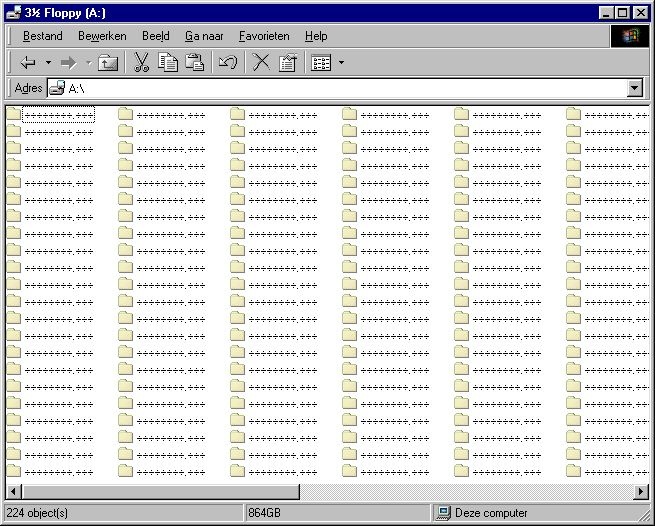
ik heb een 864 GB floppydrive! - certified prutser - the social skills of a thermonuclear device
- Jimster
- Registratie: Januari 2000
- Laatst online: 23:11
:strip_icc():strip_exif()/u/1984/mz6-2.jpg?f=community)
In de titel gebruik je wel de term 'expired', maar in je topicstart kom ik het helemaal niet tegen. Wat voor melding geeft Vista precies?
- Petervanakelyen
- Registratie: December 2006
- Laatst online: 27-09 15:35
/u/201651/beastie_300.png?f=community)
Ik heb ook al vaker NTpasswd geprobeerd en het werkte bij mij ook altijd goed. Een alternatief is KonBoot. Start op met CD/USB en je kan met elk account inloggen zonder paswoord. Als je een USB-bootable stick wil maken met KonBoot wel even deze instructies volgen.
Hier even geprobeerd maar ik krijg daar toch ook geen admin-account te zien hoor. In XP werkte dat alleszinds wel, maar hier in een VM met Vista Business niet.shadowman12 schreef op zondag 25 juli 2010 @ 20:38:
Volgens mij kan als je in safe-mode opstart in Vista aanloggen op het Administrator account en dan het account van je schoonzusje unlocken.Daarna start je Computer Management Console op en kies je Local Users and Groups en ga je naar de properties van het account van je scoonzusje, waarmee de lock eraf haalt en eventueel het wachtwoord kan resetten.
- You must restart your computer system to be able to boot in Safe Mode .
- When the Windows screen appears, press the F8 key.
- From the list, go to the option Microsoft Windows by using your keyboard arrows.
- Instead of pressing the Enter key, press the F8 key again to display the Safe Mode boot screen.
- Choose Safe Mode from the list and press the Enter key.
- You will hence be taken to the log in screen that will display the Administrator account icon among your other current account/s.
Bron: Access the hidden Administrator Account in Windows Vista
[ Voor 66% gewijzigd door Petervanakelyen op 25-07-2010 20:46 ]
Somewhere in Texas there's a village missing its idiot.
- alt-92
- Registratie: Maart 2000
- Niet online
Oh, als je toch met de Administrator account kan inloggen, controleer dan even of de Autoadminlogon registry waarden aanwezig zijn.
Kans is groot dat dat aanstaat - als je dan toch je wachtwoord wijzigt omdat je vergeten bent password never expires aan te geven heb je wel een nieuw wachtwoord maar de autologon staat vrolijk met je oude pass aan te melden.
Gaat een paar keer goed, maar daarna is je account ook gelijk locked
Kans is groot dat dat aanstaat - als je dan toch je wachtwoord wijzigt omdat je vergeten bent password never expires aan te geven heb je wel een nieuw wachtwoord maar de autologon staat vrolijk met je oude pass aan te melden.
Gaat een paar keer goed, maar daarna is je account ook gelijk locked
ik heb een 864 GB floppydrive! - certified prutser - the social skills of a thermonuclear device
- Erwin
- Registratie: Januari 2004
- Laatst online: 22:35
Express Expired tussen aanhalingstekens gezet aangezien er geen melding is maar het wachtwoord gewoonweg niet werkt. Volgens Vista is de username of pass ongeldig.
NTpasswd werkt ook niet had ik reeds al bedacht. Geeft wel de melding dat het is gelukt maar wanneer ik inlog zit ik alsnog met de melding.
NTpasswd werkt ook niet had ik reeds al bedacht. Geeft wel de melding dat het is gelukt maar wanneer ik inlog zit ik alsnog met de melding.
Cat 7 is wél een gestandaardiseerde bekabelingscategorie. De specificaties zijn vastgelegd in ISO/IEC 11801 en IEC 61156.
- alt-92
- Registratie: Maart 2000
- Niet online
Wordt er normaal gesproken vanzelf doorgestart naar de desktop van de account van schoonzus?Elluminatie schreef op zondag 25 juli 2010 @ 20:53:
NTpasswd werkt ook niet had ik reeds al bedacht. Geeft wel de melding dat het is gelukt maar wanneer ik inlog zit ik alsnog met de melding.
Nog één keer.
Je moet dus niet de account van je schoonzus resetten, maar de Administrator account, en daarmee aanmelden en vervolgens die registry key voor autoadminlogon eerst uitzetten.
ik heb een 864 GB floppydrive! - certified prutser - the social skills of a thermonuclear device
- Erwin
- Registratie: Januari 2004
- Laatst online: 22:35
Inmiddels met KonBoot eindelijk weer in de account  dank allen!
dank allen!
Cat 7 is wél een gestandaardiseerde bekabelingscategorie. De specificaties zijn vastgelegd in ISO/IEC 11801 en IEC 61156.
Pagina: 1